Chapter 4
Overlays, Color and Display
The last chapter was about what goes on the screen. This one is about how it gets there: how a modern picture becomes something a 1982 graphics chip can display, what choices you have along the way, and how to stack information on top of whatever is playing.
The Six Display Modes#
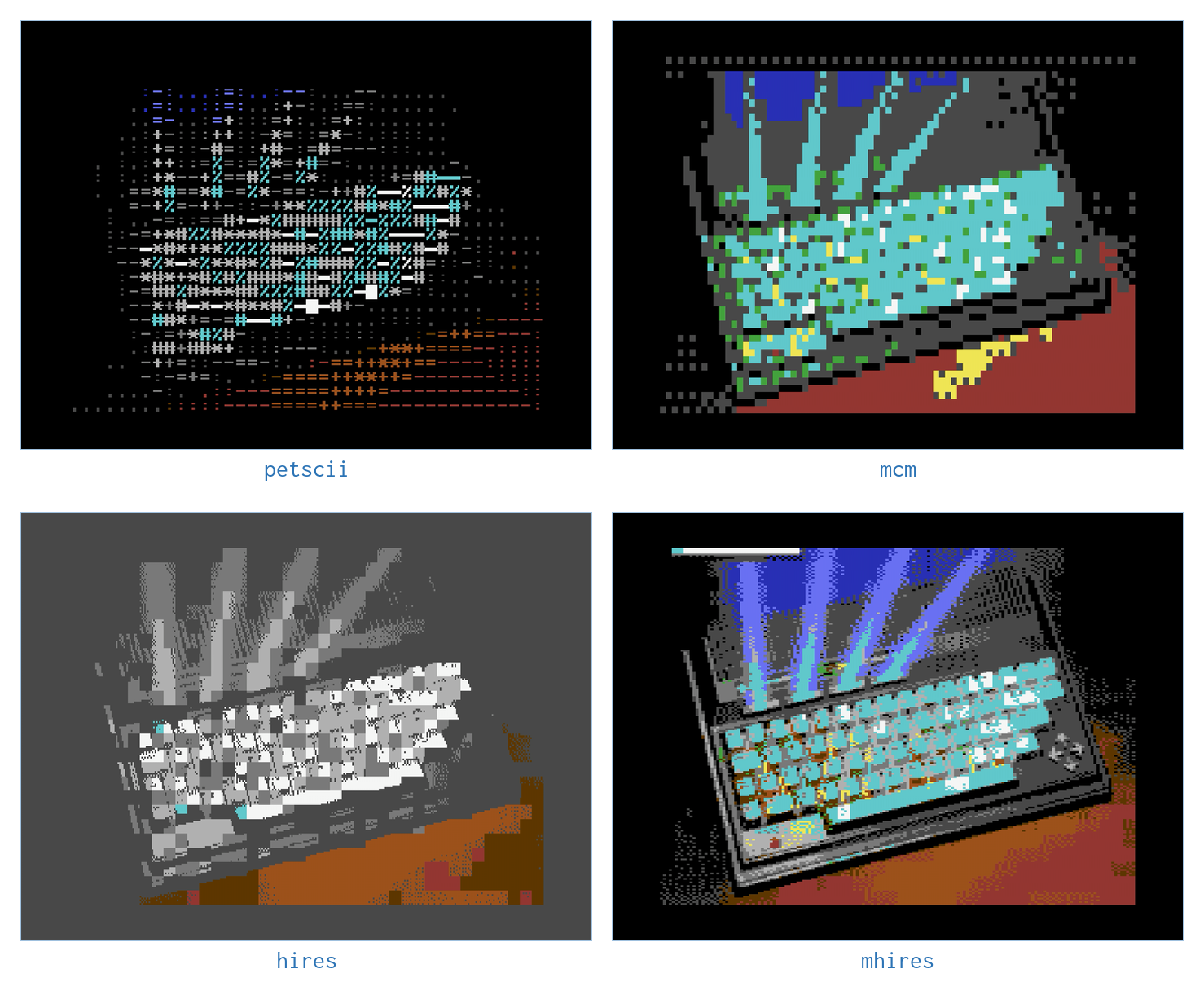
The VIC-II can arrange its screen in several ways, and each is a different bargain between resolution and color. c64cast exposes six, chosen with a scene's display setting.
| Mode | Resolution | The trade |
|---|---|---|
mhires |
160×200 | Four colors per 8×8 cell. Best for photographs and video |
hires |
320×200 | Full resolution, but two colors per cell |
hires_edges |
320×200 | Outlines only, white on black. Made for live cameras |
petscii |
40×25 | Built from the Commodore's own characters |
mcm |
80×50 | Multicolor characters, using an uploaded character set |
blank |
none | A solid canvas, for overlays to paint on |
The important thing to understand about the C64 is that its color limits are spatial, not global. All sixteen colors are available at once, but only a few of them may appear within any one 8×8 block of pixels. Every choice below is really a choice about how to spend that budget.
mhires is the default for good reason. Halving the horizontal resolution buys four colors per cell instead of two, and for photographic material that is overwhelmingly the better trade. Use it unless you have a reason not to.
hires keeps every pixel and spends the color budget instead. It suits line art, text, diagrams and anything where a sharp edge matters more than a hue.
petscii builds the picture out of letters, picking a character by how bright each cell is and a color by its hue. The result is unmistakably a Commodore, and because character modes shift far less data than bitmaps, it runs at the machine's full frame rate.
Color, and How It Is Chosen#
Between the source picture and the screen sits a color pipeline, configured once in the [color] section as the show's default — any scene can override part of it, below:
[color]
auto_fit = true
dither = "auto"
dither_strength = 0.5
color_match = "auto"
motion_smoothing = 0.25
auto_fit stretches contrast and saturation to suit the source. Real footage is rarely made for a sixteen-color palette, and letting c64cast fit the material to the palette first makes a large difference. It is on by default.
dither trades spatial noise for apparent color. Without it, a gentle sky gradient becomes visible bands; with it, the eye blends neighboring pixels back into the missing shades. Choices are ordered, blue_noise, floyd-steinberg, atkinson and none.
color_match decides what "the nearest color" means. perceptual measures distance the way human vision does, which usually looks better; rgb is a cruder measure that is occasionally more faithful to a specific palette.
motion_smoothing applies only to mhires. Because that mode picks four colors per cell per frame, a cell whose contents change can flicker as its palette is re-chosen. Smoothing damps that at the cost of slight after-images. Raise it for calm footage; lower it for fast motion.
flicker_tolerance is a different trick entirely: rather than avoiding flicker, it puts it to work. Two screen pages alternate every video field, so the eye fuses a cell's pair of hardware colors into a shade the sixteen-color palette does not have — an old demo-scene technique, off by default because it is a deliberate look rather than a fidelity upgrade. Widening it past "clean" puts a flashing image on screen at a rate inside the recognized photosensitive-seizure band, so read caveats.md before turning it up. It also does not survive being filmed at 30 fps — a capture card records the flicker, not the fusion — so judge it in c64cast's own [preview] window or a [recording] MP4, not a camera pointed at the screen. The Programmer's Reference Guide has the mechanism and a diagram of it.
Most of these are set to "auto" out of the box, which is not a refusal to choose but a decision made per scene: a still slideshow gets floyd-steinberg dithering, while moving video gets blue_noise, because error-diffusion crawls unpleasantly when the picture moves.
Forcing a Palette#
Setting force_palette restricts the picture to a chosen number of colors, or to a specific list of them:
[color]
force_palette = true
force_palette_colors = [
  "black", "blue", "light blue", "white",
]
This is a deliberate stylistic effect rather than a fidelity improvement. Four cold colors make everything look like a monitor from a submarine film, and that is sometimes exactly what you want.
Changing the Machine's Own Colors#
An Ultimate 64 on firmware 3.15a or newer can do something no real Commodore can: show sixteen colors of c64cast's choosing. Turn it on and each video and slideshow image gets a palette fitted to what it actually contains, with black, white and the grays left alone:
[color]
hardware_palette = "source"
A sunset can spend its eleven free colors on oranges and reds instead of making do with one orange and a brown. The machine's own palette comes back before any scene that does not use the setting, and when c64cast exits. On any other machine, or older firmware, the setting is skipped with a warning and the show looks as it always has. It cannot be combined with force_palette or flicker_tolerance. The Programmer's Reference Guide has the details.
Mixing Looks Across Scenes#
Any [[scenes]] block can override part of [color] for itself alone, in a [scenes.color] sub-table — the rest of that scene's color settings still follow the show-wide [color] section:
[color]
dither = "blue_noise"          # the show's default look

[[scenes]]
type = "video"
file = "grayscale_reel.mp4"
display = "mhires"
  [scenes.color]
  force_palette = true
  force_palette_colors = [
    "black", "dark gray", "gray", "light gray",
  ]

[[scenes]]
type = "video"
file = "full_color_clip.mp4"
display = "mhires"
# no [scenes.color] here — uses the [color] default
This is how one playlist mixes a grayscale-forced video with an ordinary full-color one, or any other combination, without a global [color] change in between. Only the fields you set in [scenes.color] change; everything else — including a field you deliberately set back to its default — still does what you told it to.
Overlays#
An overlay is a decoration painted on top of a scene after the scene has drawn itself. Overlays attach to a scene, several at a time, and paint in the order you list them:
[[scenes]]
type = "slideshow"
name = "Photographs"
file = "~/Pictures"
duration_s = 120.0

  [[scenes.overlays]]
  type = "clock"
  row = 0
  fg_color = "white"

  [[scenes.overlays]]
  type = "scrolling_text"
  row = 24
  speed_cells_per_s = 6.0
  messages = [
    { text = "WELCOME", color = "yellow" },
    { text = "COFFEE AT ELEVEN", color = "cyan" },
  ]
row is the character row to paint on, counting from 0 at the top to 24 at the bottom, regardless of the scene's display mode. Overlays occupy whole rows, so keeping them at the top and bottom leaves the picture alone.
What Is Available#
Run c64cast --list-overlays for the current catalog. At the time of writing it holds:
| Overlay | Shows |
|---|---|
clock |
The time, and optionally the date |
weather |
Temperature and conditions, polled in the background |
rss |
A ticker fed from a news feed |
scrolling_text |
A row of messages, scrolling one after another |
marquee |
One string, scrolling continuously |
big_text |
Enormous demo-scene letters sliding across the screen |
callsign |
Fixed text in a corner, for a booth or a station ID |
countdown |
Time remaining until a date you set |
network |
Local address, hostname and link latency |
spectrum_petscii |
An audio spectrum drawn as colored bars |
spectrum_bitmap |
The same, at pixel resolution, on mhires |
logo |
A block of PETSCII art loaded from a text file |
obs_status |
The current OBS Studio scene and dropped-frame count |
Which Overlays Work Where#
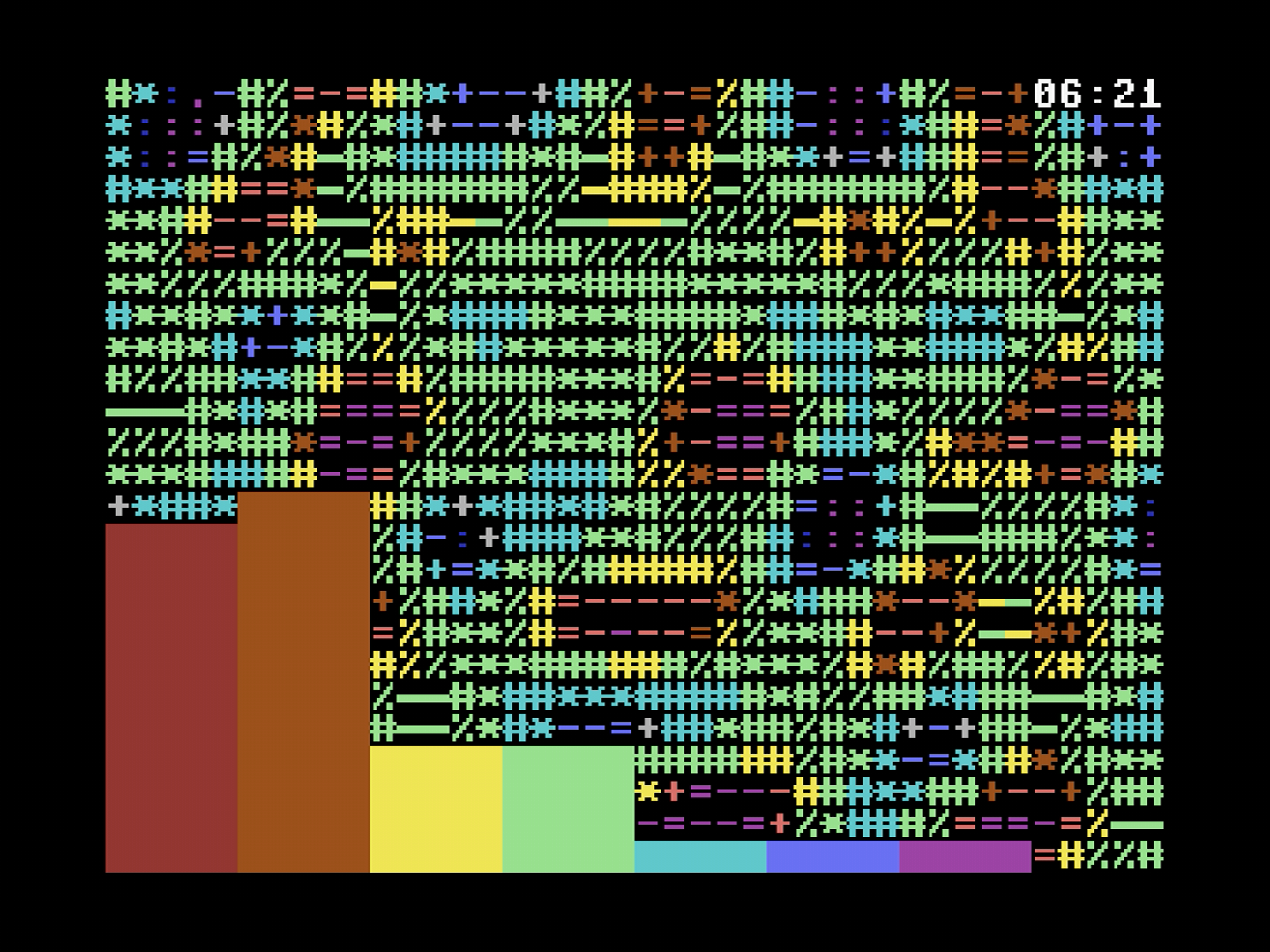
Not every overlay works on every display mode, because some paint characters and some paint pixels. To see the whole matrix at once:
c64cast --compatTwo rules cover almost all of it. big_text takes over the entire display while it scrolls, driving the hardware scroll registers directly, so it must be the only overlay on its scene. And the spectrum analyzer comes in two versions because character modes and bitmap modes need genuinely different implementations: use spectrum_petscii on character modes and spectrum_bitmap on mhires.
Sound#
Audio has two possible paths out of the Commodore, and they are not close in quality.
The $D418 DAC works on every machine. It abuses the SID's volume register as a crude digital-to-analog converter, which is how digitized sound was done on the C64 in period. Written the obvious way that gives four bits, and c64cast can still do exactly that. Where it knows the chip, it does something better by default: it parks all three voices as steady sources and writes the whole register each sample — volume, filter mode, and the voice-three switch — which lands on roughly 256 distinct output levels. They are unevenly spaced, so the useful resolution is nearer six or seven bits than eight, but it is a long way past four.
"Where it knows the chip" matters: those 256 levels are only as good as a table that matches the silicon they come out of. The Ultimate's emulated SID ships with one built in, so it gets the better path out of the box. A physical SID — a chip in a socket, or any machine behind a TeensyROM — plays through the plain 4-bit path until you run --calibrate-dac once to measure your own chip; the Programmer's Reference Guide covers the measurement and what it needs (an audio capture of the C64's output).
It still sounds rough, because it is still a volume register being wobbled twelve thousand times a second, and that roughness is most of the charm. It is the only path available on a TeensyROM, and the path used for microphone and webcam audio everywhere.
The Ultimate Audio sampler is available on the C64U. It is a proper PCM sampler in the FPGA, entirely off the C64's bus, and it sounds like a normal audio device.
[audio]
enabled = true
backend = "auto"
Left on auto, c64cast uses the sampler when the hardware has one and falls back to the DAC otherwise. Set backend = "dac" to force the rough path deliberately, which for some material is the more appropriate choice.
You now know how the picture is made. The last chapter is about doing larger things with it.